StarSort
How might we mitigate the insufficient solid waste management problem by prototyping a waste sorting tool for children?
3D Modeling and Printing
Figma
Video Prototyping
November 23 2023 – December 7 2023
Individual Project for HCDE 451
Concept
Motivation
According to the United Nations Department of Economic and Social Affairs, one of the goals for the UN Sustainable Development is for “Sustainable cities and communities” (Goal 11), which calls for “Make cities and human settlements inclusive, safe, resilient and sustainable” (United Nation, https://sdgs.un.org/topics/sustainable-cities-and-human-settlements.). An actionable step people can take for creating sustainable human settlements is to sort waste correctly. We can educate and train children from a young age about the importance of waste sorting, helping them become responsible adults that contribute to creating sustainable living environment. Thus, this project explores the usability of a prototype of a waste-sorting training system for helping young children to grow into the habit of throwing and sorting trash.
About StarSort
StarSort is a system that keeps track of a child’s waste-throwing behavior. Children are able to gain stars by throwing any waste, and they can earn more stars for sorting recyclable or compostable waste. Parents would have the choice to adjust how many stars should be rewarded for throwing each type of the waste.
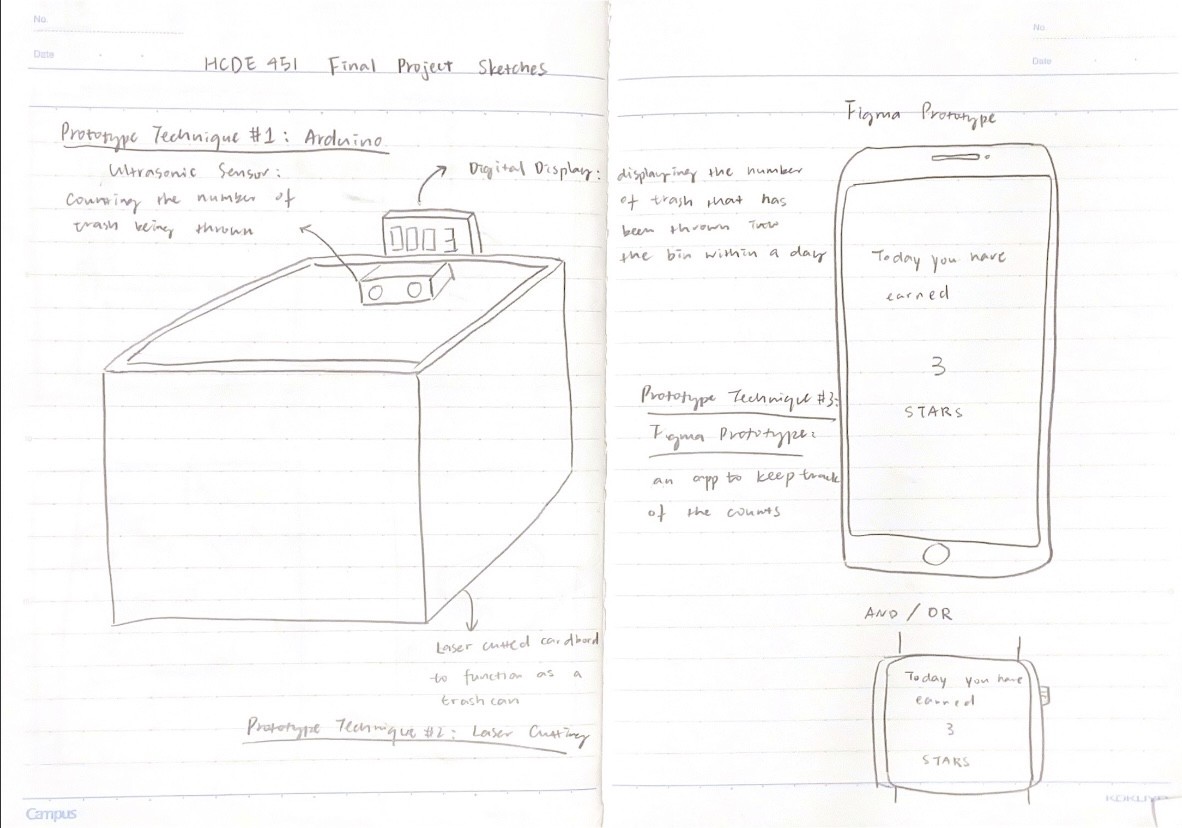
The StarSort System consists of three components:
A physical device of a sensor that can be easily attached or detached to waste bins to keep track of the waste sorting behavior.
A watch app on a children’s end that reflects the stars the children earned. It sends notifications to the watch when stars are earned.
A phone app on parents’ or guardian’s end that can view the number of stars that the children earned. Daily report notifications are sent through the app to parents’ phone. Parents can set how many stars should be associated with sorting each type of the waste.
For families that have more than one child, multiple StarSort sensors can be added into the system to differentiate each child’s behavior from each other. A child can also have fun cleaning up the room and throwing waste by doing this together with their siblings, friends, and other children.
StarSort Demo Video
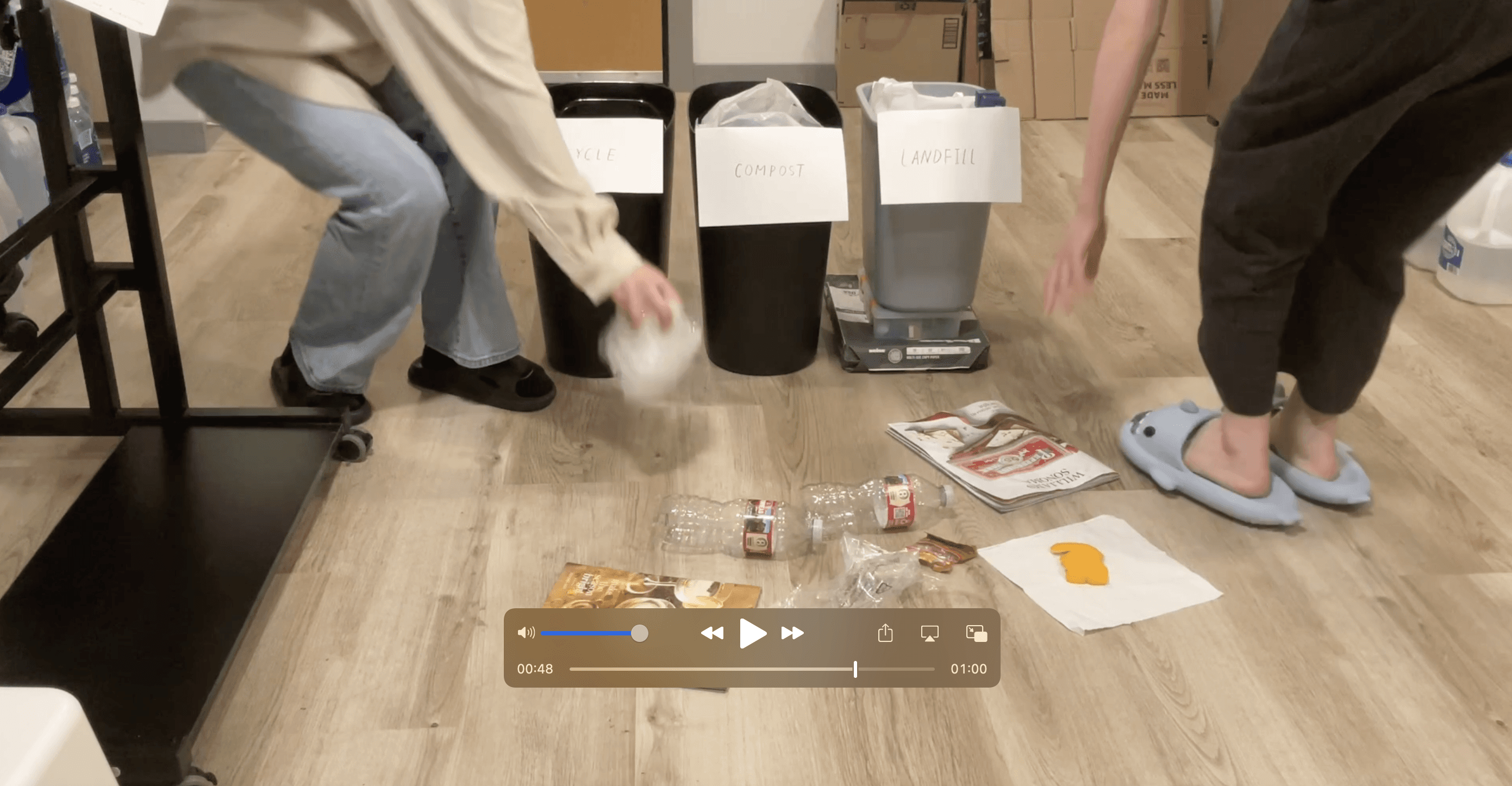
The design process of StarSort
Goals
Attributes of Usability
I planned to evaluate the usability, desirability, and impact of StarSort and prototyped the system with the following questions in mind:
Usability
Is StarSort a usable system for parents and children?
Is the size of the physical sensor reasonable for a child to grab onto?
Is the Figma prototype easy to use?
Desirability
Is it hard for guardians to get children throw trash?
Is StarSort a desirable product that parents of young children would consider using?
How does the visual aesthetics of the system feel?
Impact
What is the impact of StarSort?
Would it really help children to grow into the habit of throwing trash and sorting waste?
What are some risks and potentially negative impact for using this product?
3 Prototyping Techniques
3D Printing
To assess the usability and desirability of StarSort, I planned to 3D print a representation of the physical component of the product.
Figma
I wanted to use Figma to prototype the interface of the watch and mobile app that plays an important role in keeping track of the waste sorting behaviors. Creating interactive Figma prototype would allow me to test the usability of the app.
Video Prototyping
I planned to create a video prototype that addresses and showcases the key interactions in StarSort: how to get started with the physical component, how does star counting works, and how does it work differently from children’s end versus from guardian’s end. To further test the desirability and impact of the product, I wanted to show this video to people who have young children in their families and ask for their comments and feedback on the functionality, visual aesthetics, and potential impact of this product.
Implementation
The Physical Component
I planned to evaluate the usability, desirability, and impact of StarSort and prototyped the system with the following questions in mind:
6 Distinct Combinations of Dimensions
The first step of creating a prototype of the physical component was to determine the size of the part. And since I was building this prototype based on the dimension of a specific bin for testing the prototype, I measured the thickness of the wall at the opening of the bin, which was about 11 mm. However, due to the fact that the thickness of the bin (shaft) is not consistent on the vertical direction, it was hard for me to calculate the correct dimension of the hole on the part that I was going to print by just adding a clearance to it. Also, I was unsure about where to put the opening on the part to make it visually appealing.
To combat with the two uncertain dimensions, I decided to design a set of the parts that consists of 6 distinct combinations of dimensions, where I chose to test 5 mm and 10 mm for the starting point of the opening and 12 mm, 12.5 mm, and 13 mm for the dimension of the opening. Using this method, I was able to find the dimension that fits best to the bin by printing out a set of parts with distinct dimensions. I created these CAD models in SolidWorks, outputted them as .stl files, sent them to PrusaSlicer for generating the g code. Specifically, I chose 20% of infill in Prusa because I majorly cared about the shape of the printed parts, and it would be sufficient for evaluating the usability and desirability of the product. Then I sent the file to the 3D printer and printed the parts with PLA material.
I then tried to install each of the 6 parts onto the bin that I was using, and it turned out that the combinations of 12 mm & 5mm and 12.5 mm & 5 mm fitted the best.
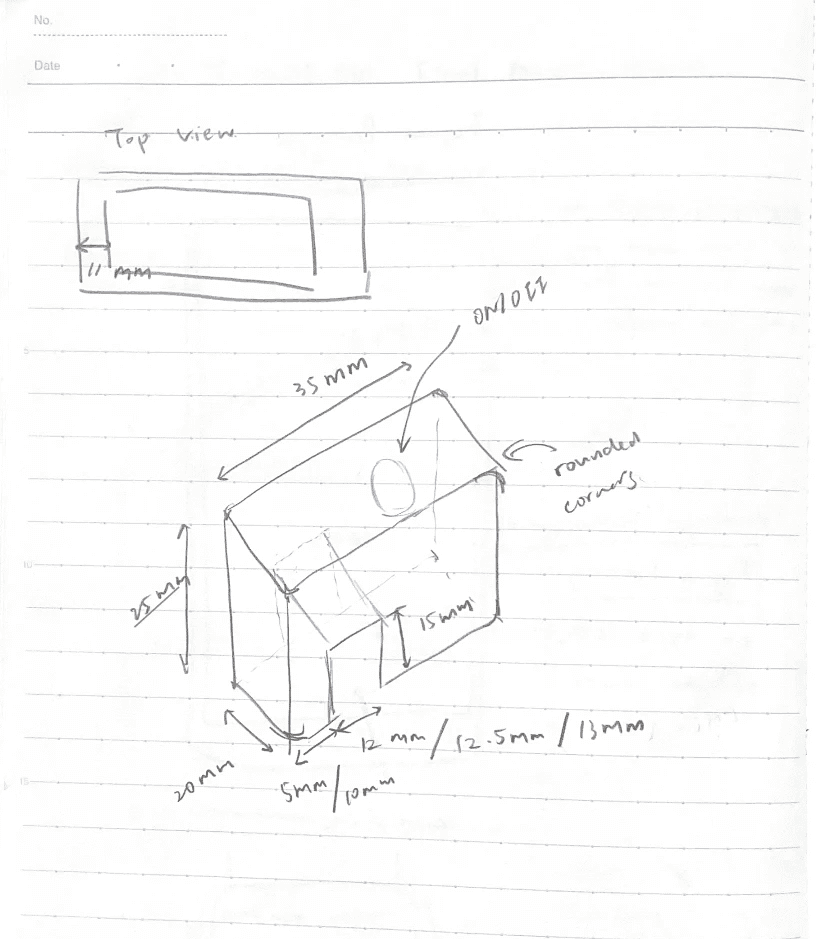
Design sketch for the physical part
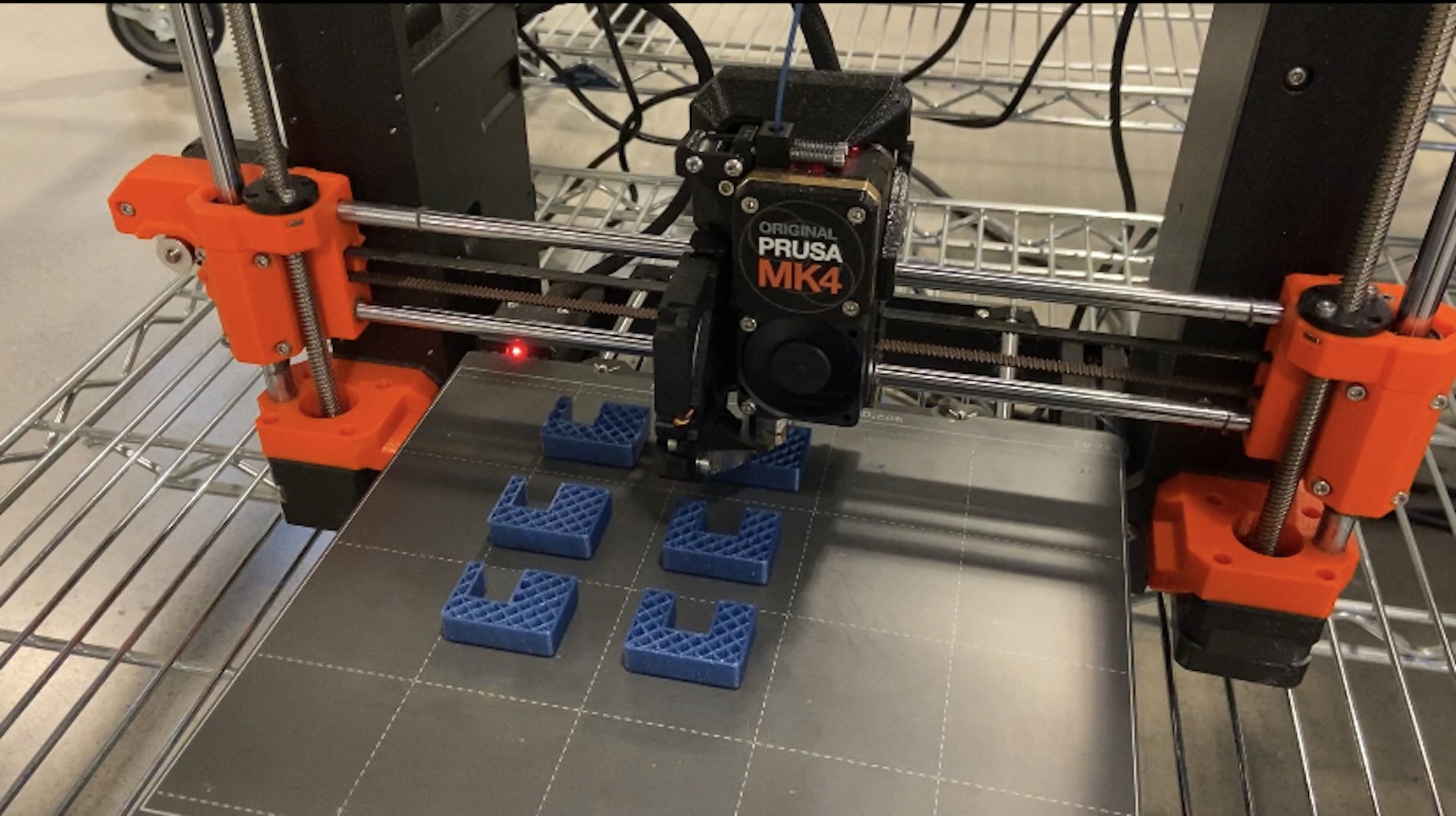
3D printing process
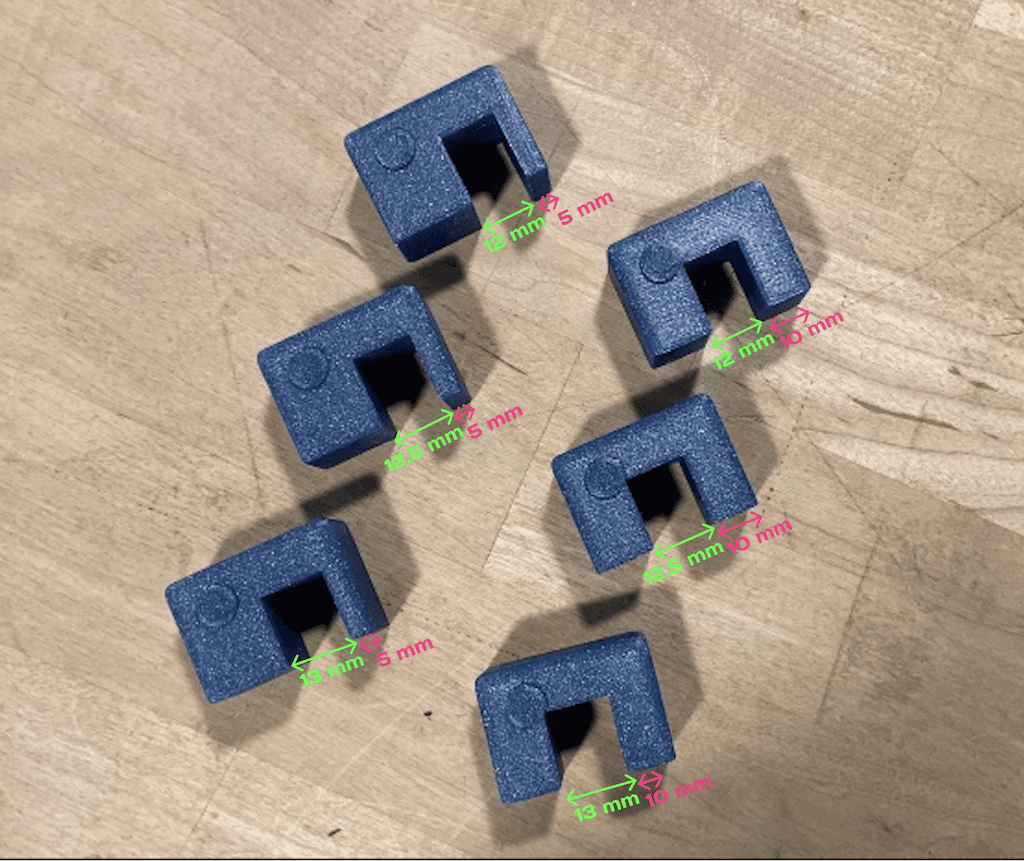
6 Parts with distinct dimensions
On/Off Button
It took me some time to decide where to put the on/off button because it was hard to balance between visual aesthetics (hiding the button) and the convenience of having easy access to the button. One idea that I once had was to implement it at the bottom of the physical part for preserving the visual aesthetics, but the problem with that is pressing the button at the bottom might be annoying when the part is already attached onto the bin. To make it more convenient for users to have access to the button, I decided to pursue the easiness of usage and placed it on the side of the product.
Rounded Edges
I took an extra step rounding the edges for the physical component. In my SolidWorks models, I added fillet to the outside edges because the target users for this product are children, who are potentially more vulnerable to the sharp edges.
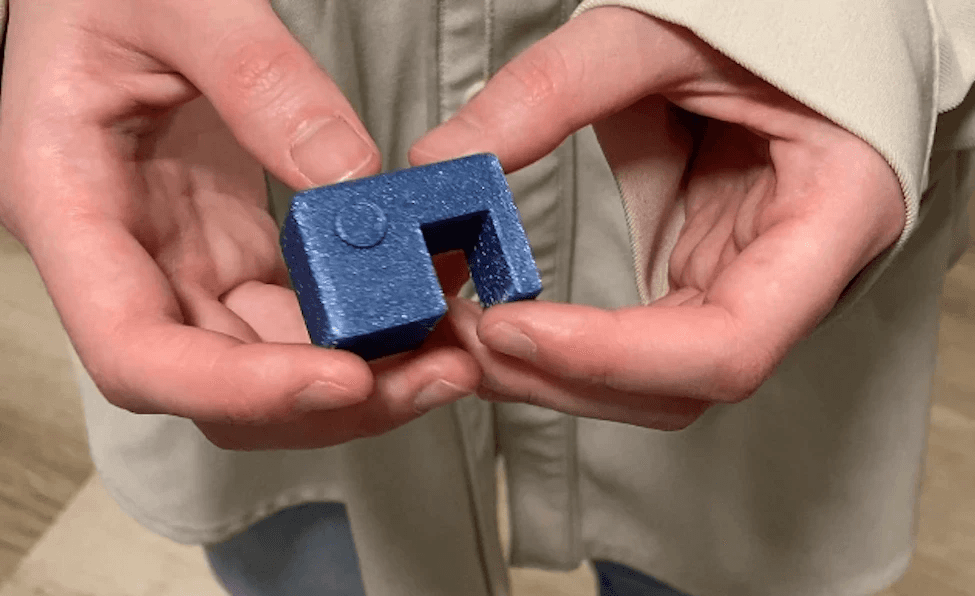
On/off button on the side of the part
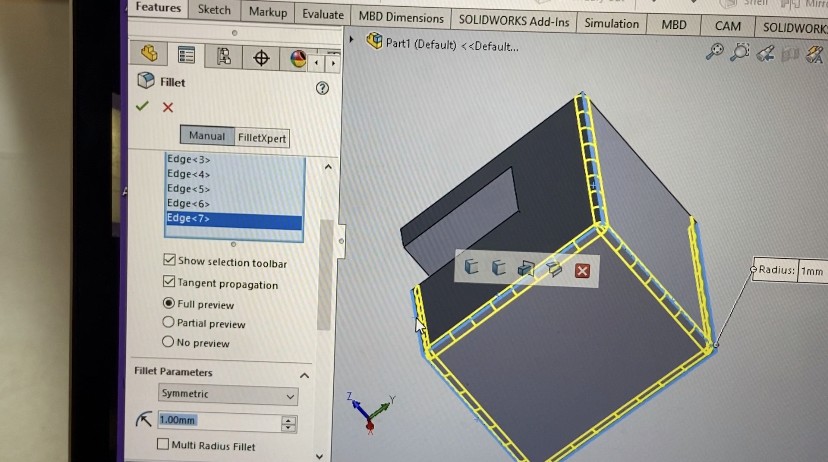
Rounded edges
Watch App for Children
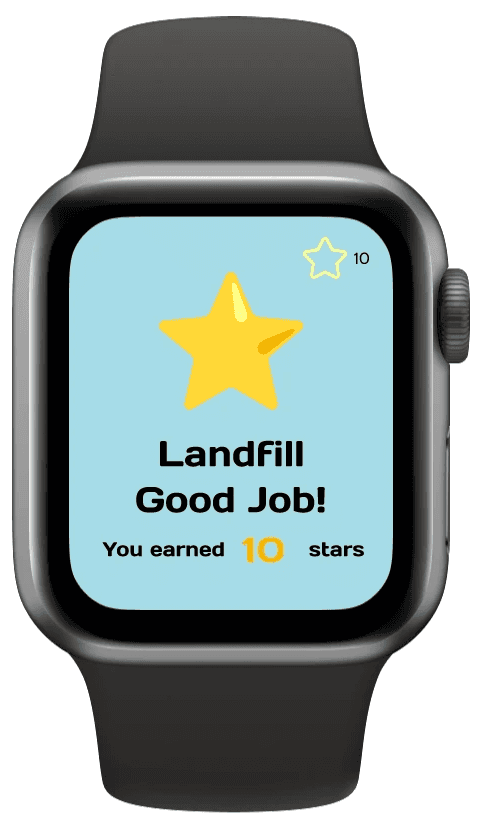
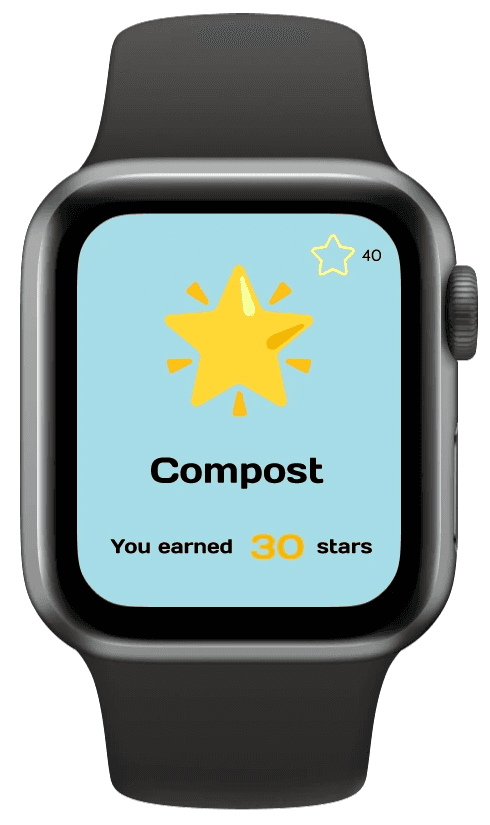
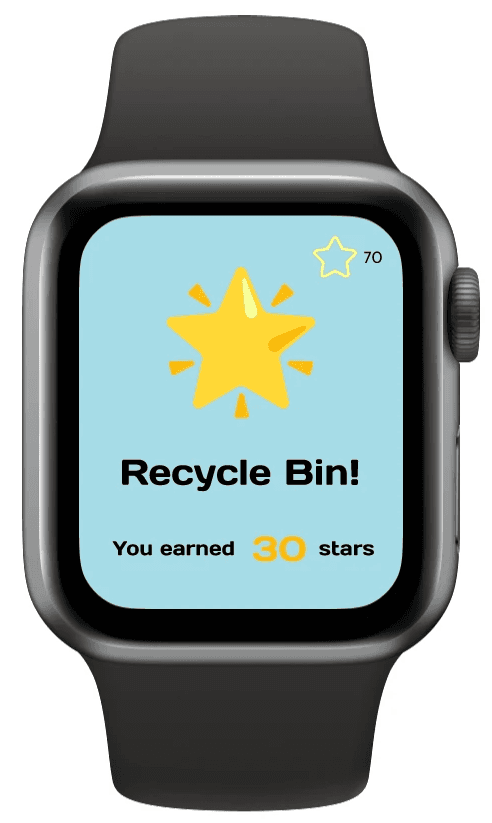
I prototyped an app on Figma that allows children to keep track of their waste sorting behavior. It has simple interface so that it’s easy to interact with by children.
Notifications
How the watch app works is simple: it gets data from the sensor inside the physical component installed, notifies the child if they’ve tossed waste into a bin and reward them with stars. The default setting for throwing landfill trash is 10 stars, where recycle and compost worth 30 points each. Children are also able to see their daily star records if they wish to.
Visual Aesthetics
Since the watch app was built for children, I used colors such as bright blue and yellow as the theme colors for the interface. The typography I used was called Days One, which is a Sans Serif that has rounded edges. I also intentionally made the font sizes large so that the lines are easy to read for children.
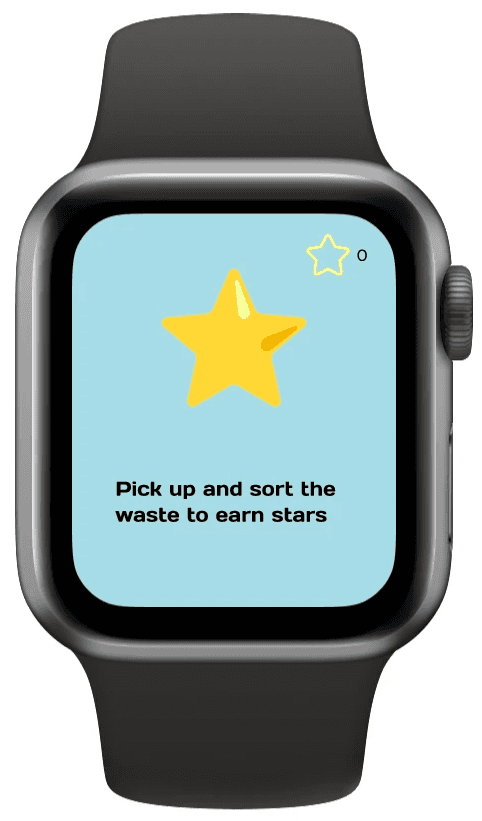
Watch app for children
Mobile App for Guardians
The StarSort mobile app, which is also prototyped on Figma for the operations on the guardians’ end, has more flexibility comparing to the watch app for children.
Daily Report Notification
Comparing to the watch app that default receives notifications for each waste tossing action, the mobile app only receives a daily report of children’s stars as the only notification.
Star History
Similar to the watch app, the mobile version allows guardians to view the children’s star-earning history. The homepage of this app displays the current week's statistics, where the "Star History" page displays the previous data.
Multiple Children
For families that have more than one child, it’s easy to add a child’s profile to the app and start to keep track of their behaviors.
Customizing Stars
Guardians using the mobile app of StarSort are enabled to change how many stars should be rewarded to sorting each type of waste. Parents are allowed to customize it because ideally, children can in some sense “redeem” the stars they earned by negotiating with parents.
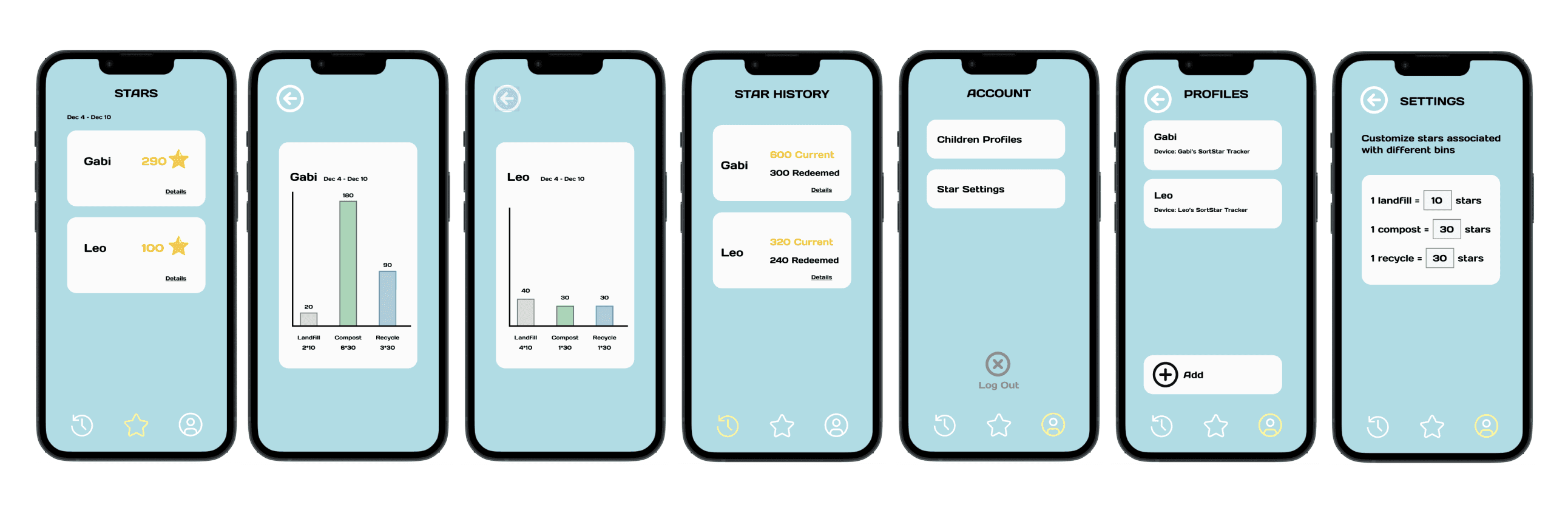
Key screens for the mobile app
Video Prototyping
Storyboards
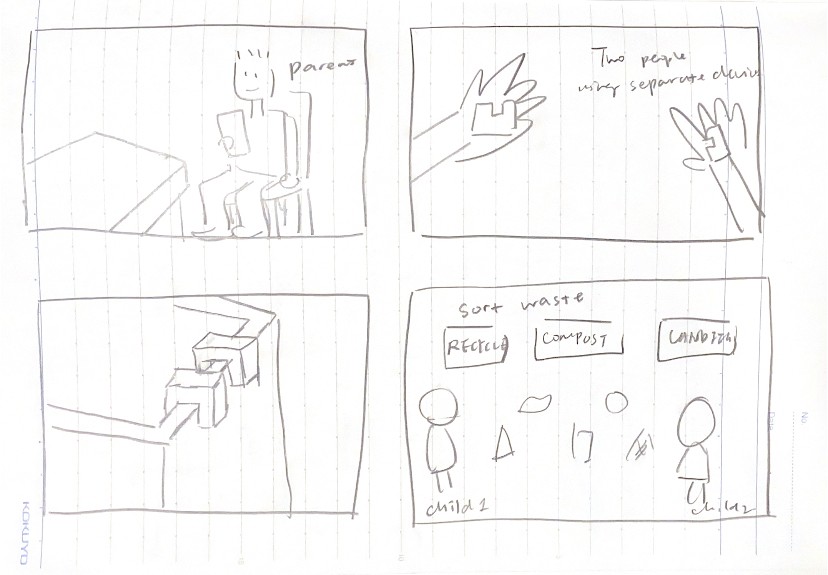
I started planning the video prototype with drawing a series of storyboards. The storyboard of StarSort should include 3 key user scenarios of the product:
1. Interactions between one child and StarSort
2. Guardian receives notification of a child’s daily report
3. Two children use StarSort to clean the room together
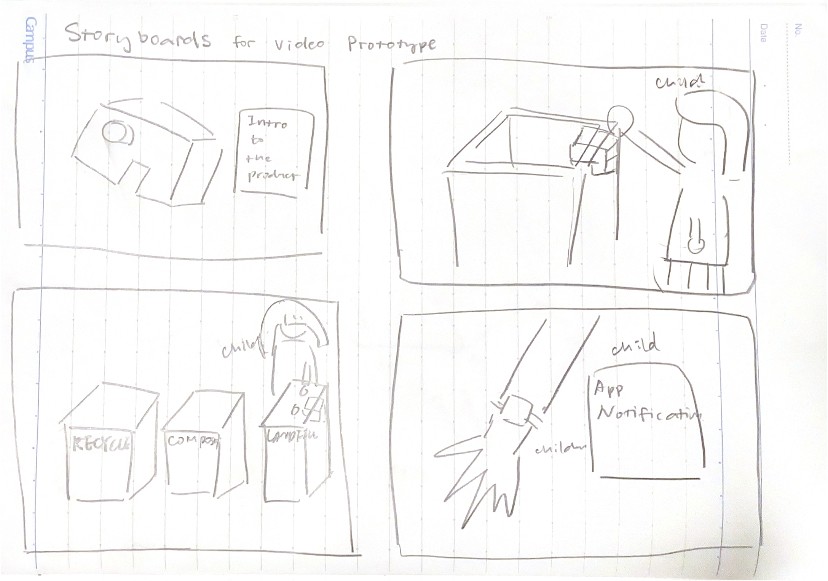
Storyboards
The Video Prototype
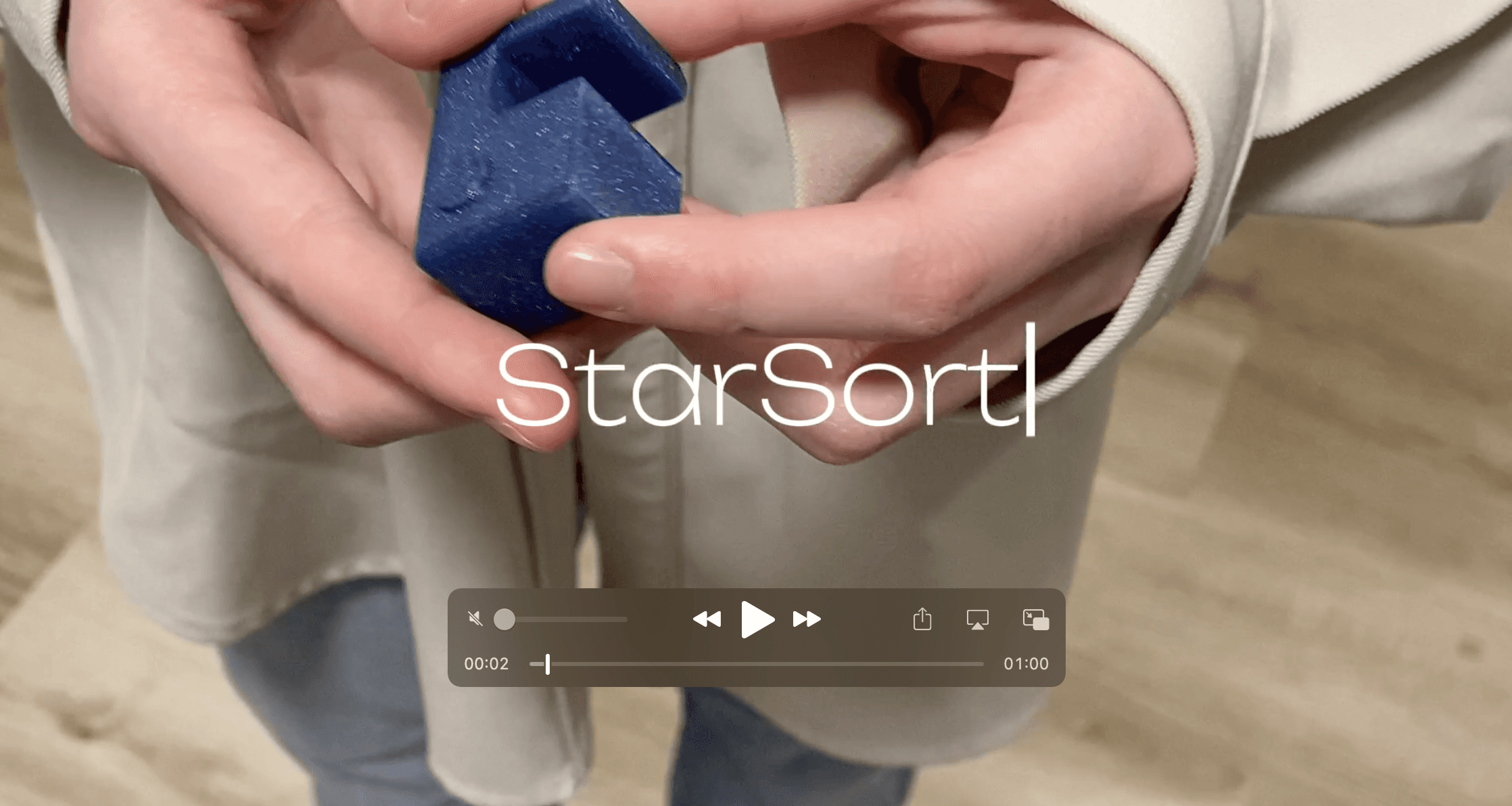
Video prototype that demonstrates key interactions of StarSort
Evaluation & Analysis
To assess the usability, desirability, and impact of StarSort, I shared the video prototype with 3 people who are parents of young children and asked them for comments and feedback. And below is the feedback I received from them as well as the findings in relation to the three attributes of usability that I would like to test.
What Worked Well?
The concept: Parents strongly resonated with the fact that it’s hard to get children to do chores as simple as room cleaning and waste sorting. They also agreed that children would enjoy the idea of getting stars or scores for the small tasks they complete.
Visual aesthetics: Bright colors such as yellow and blue worked really well for children because the interface looks colorful and playful. The relatively simple text and large font size makes the text easy to read and understand.
Multi-children management: The idea of allowing guardians to keep track of more than one child is great because it not only works for those families who have more than one child, but also enables the children in the one-child family to clean the room together with their friends.
What Needs Improvement?
Accessibility: Currently the on/off button is clearly made for those who are right-handed as the button is at the left side of the part, which is convenient for the right-handed users to press using their thumbs. However, this version could be less accessible for the left-handed users and could be improved by either developing another version for left-handed users or changing the place of the button to the top or button surface of the part.
Limited functionality: The StarSort system currently support the waste-sorting task only, and it might be interesting to expand its compatibility to all kinds of chores such as making bed, organizing bookshelf, feeding pets and more. In this way, StarSort would become the system that motivates children to do chores.
Results
Usability: StarSort is usable because it’s easy and intuitive to get started with the physical sensor. The app interface is simple and understandable for children and parents.
Desirability: It’s a common for parents to get their children to do chores, and the concept of rewarding stars to children for chores completions is desirable. The easy-to-carry size of the physical component and the visual aesthetics of the app are desirable for parents with young children. The only concern was that the scope of StarSort was a bit too limited to the waste-sorting side of doing chores, and it would be more desirable for parents if StarSort could incorporate more tasks into the chores it keeps track of.
Impact: Parents could see how StarSort would help children to grow into the habits of correctly sorting waste, which potentially would make children responsible adults in the future for creating sustainable cities.
Limitations
Time Constraint
This is a class project and the timeline was tight. I only got around 20 days from brainstorming to completing the prototypes
Limited Access to Target Audiences
The StarSort's target audiences are children and their guardians. While I knew people who are parents, I had limited access to children who are important stakeholders.
One Person Team
The design decisions were made by me only, so there might be some perspectives that I was not able to cover or think of.
Next Steps
Conduct User Research
I would like to conduct more user research to gain better understanding of my target audiences by co-designing the product with children and parents.
Expand Functionalities
To create a system that serves as a multi-chore-tracking tool, I would like to expand the scope of StarSort to tasks like vacuuming, feeding pets, sweeping floor and more.
Create Higher Fidelity Prototype
The parents feel resonated with the fact that it's hard to get children do chores and they might be interested in seeing a higher-fidelity version of the product.
Reflection
This project deploys 3 prototyping techniques, 3D modeling and printing, Figma prototyping, and video prototyping, to investigate the usability of the concept of a waste-sorting training tool. The biggest challenge throughout the process was that I had limited access to the population that I was designing for. And some reflexive work to compensate the challenge was that I talked to people who are parents of young children about their perceptions and thoughts about my proposed project. It was a meaningful exploration as I get to know more about how to design for children and generated the StarSort prototype that is usable and has potential positive impact. The product was a little bit less desirable because parents would like to see more chores being included in addition to just keeping track of the waste-sorting task. I would like to bring what I’ve learned about designing for multiple target audience – both children and parents – into my future work.
© 2024 Lushan Wang Portfolio. All rights reserved.